Capillary Interpreters
Schedule court interpreters for each hearing
Court staff send requests. Capillary drafts the week’s schedule with interpreters who hold the right credential, are available and can reach the courthouse. A coordinator reviews the draft before anyone is told, and invoices come from confirmed hours at the program’s rates.
How it works
1. Request
Send requests from a form, a file or the API
Each request lists the language, the credential level, whether it is in person, by video or by phone, the courtroom, the time, the hearing type and the case number.
2. Fill
Draft the whole week in one pass
A mathematical optimization solver fills as many requests as it can with interpreters who have the right language and credential level, are available then and have time to get between courthouses. Staff interpreters go first, and contract work goes to whoever has had the fewest assignments this pay period. A coordinator reviews the draft before anyone is told, and each unfilled request shows why.
3. Offer
Contract interpreters accept with one tap
Requests the draft leaves open go by email to the contract interpreters and agencies who could take them, a few at a time: highest credential first, then shortest drive. Accepting or declining needs no sign-in, and an agency picks which of its interpreters goes. The first to accept gets the assignment, and the other offers are withdrawn.
4. Arrive
See who has arrived
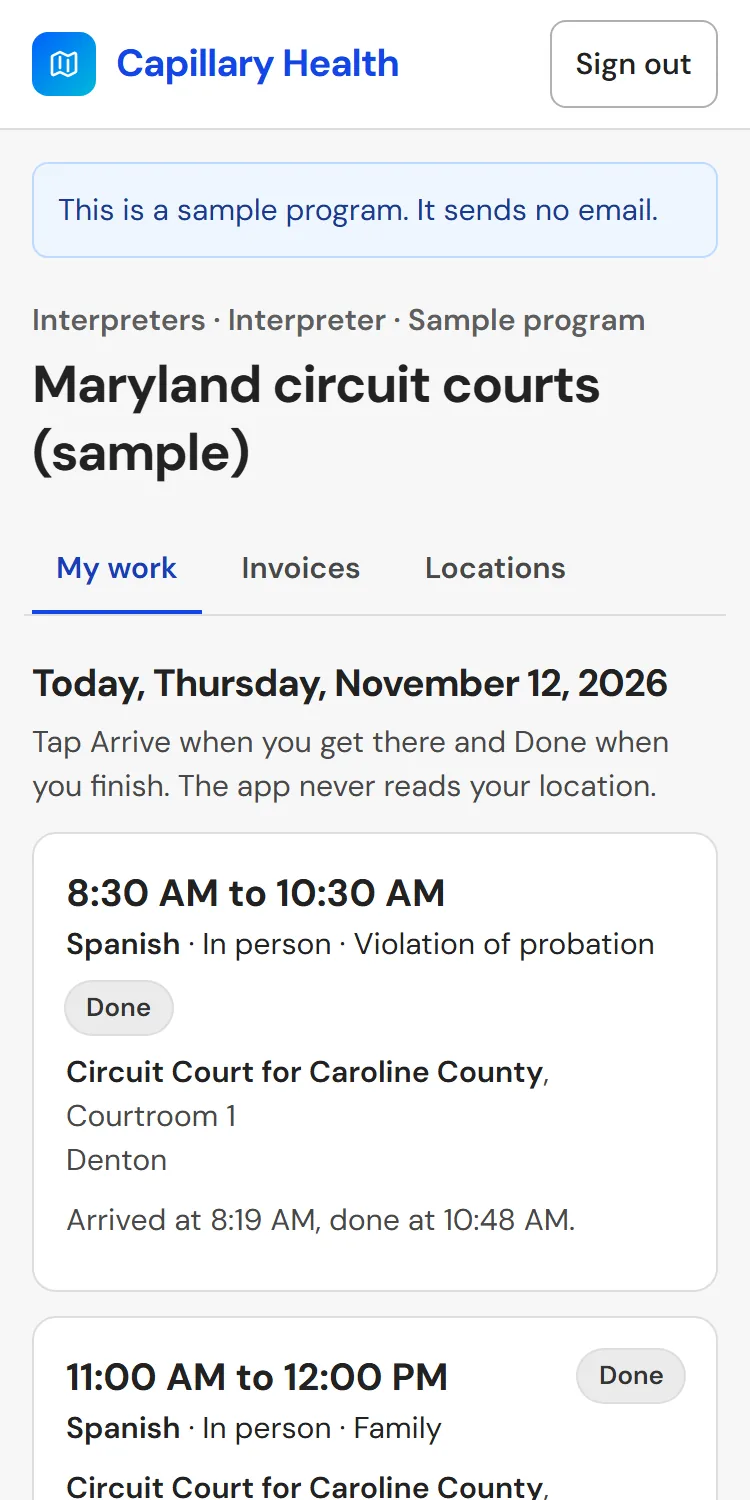
On the day, the interpreter sees where to go and taps Arrive and Done on their phone. A coordinator confirms the actual start and end, and every change is logged with its reason.
5. Invoice
Invoices built from confirmed hours
Each finished or late-cancelled assignment becomes invoice lines at the program's rates. Each pay period, the contract interpreter reviews and submits their invoice, and a coordinator or finance approver approves it. An agency gets one invoice a pay period for all its interpreters' work. Approved invoices download as a CSV for the court's payment system.
The screens
These pictures come from a sample program: made-up interpreters and requests at the locations of Maryland’s 24 circuit courts.
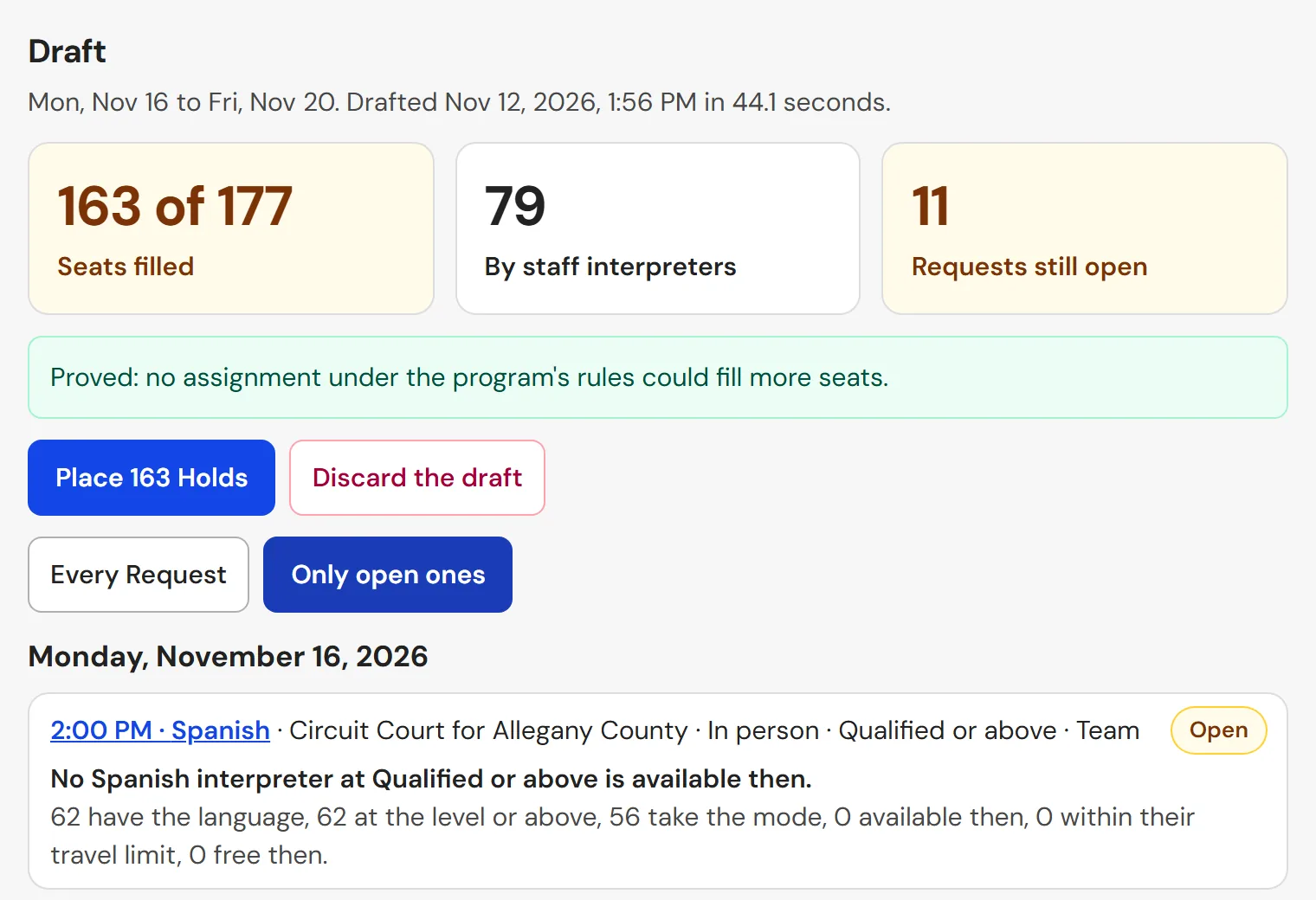
Fill
A week's draft before anyone is told: how many requests it fills, and why each open request stays open.
Desk
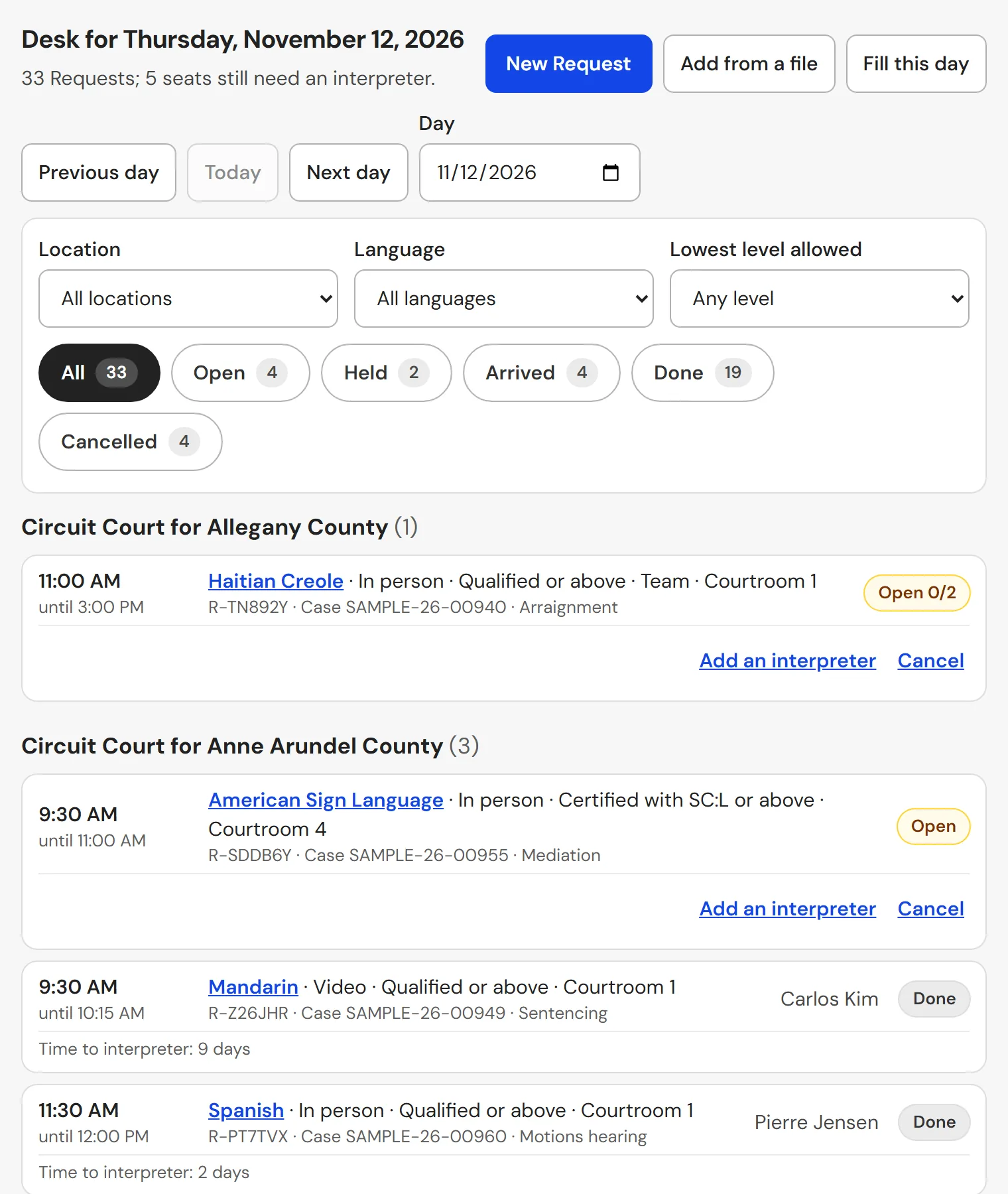
One day's requests by courthouse and time, each with its status, and filters for language, location, status and credential level.
Invoices
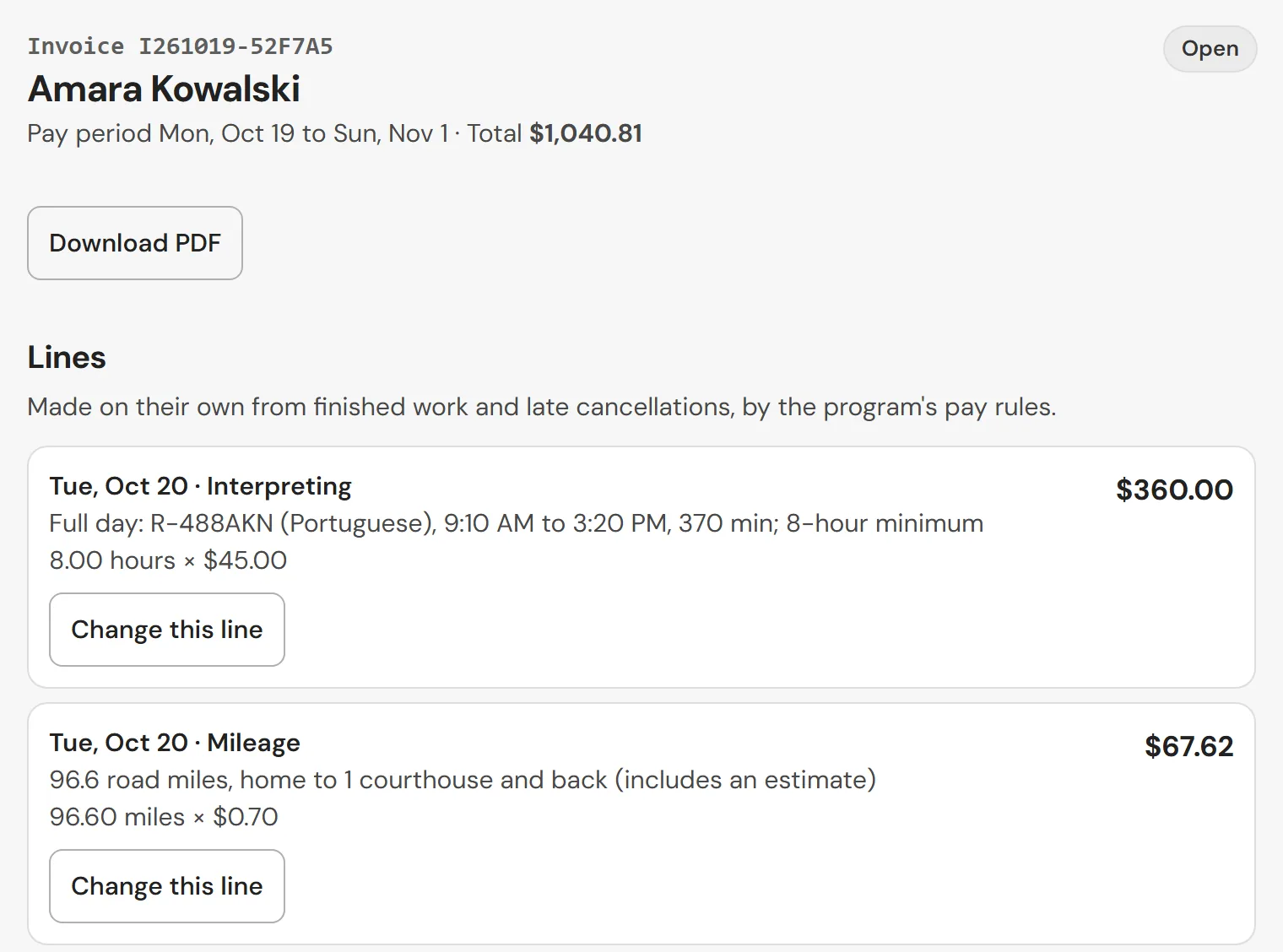
Each line shows its hours, rate and amount. The interpreter can dispute a line, and a coordinator or finance approver can change it with a reason or send the invoice back.
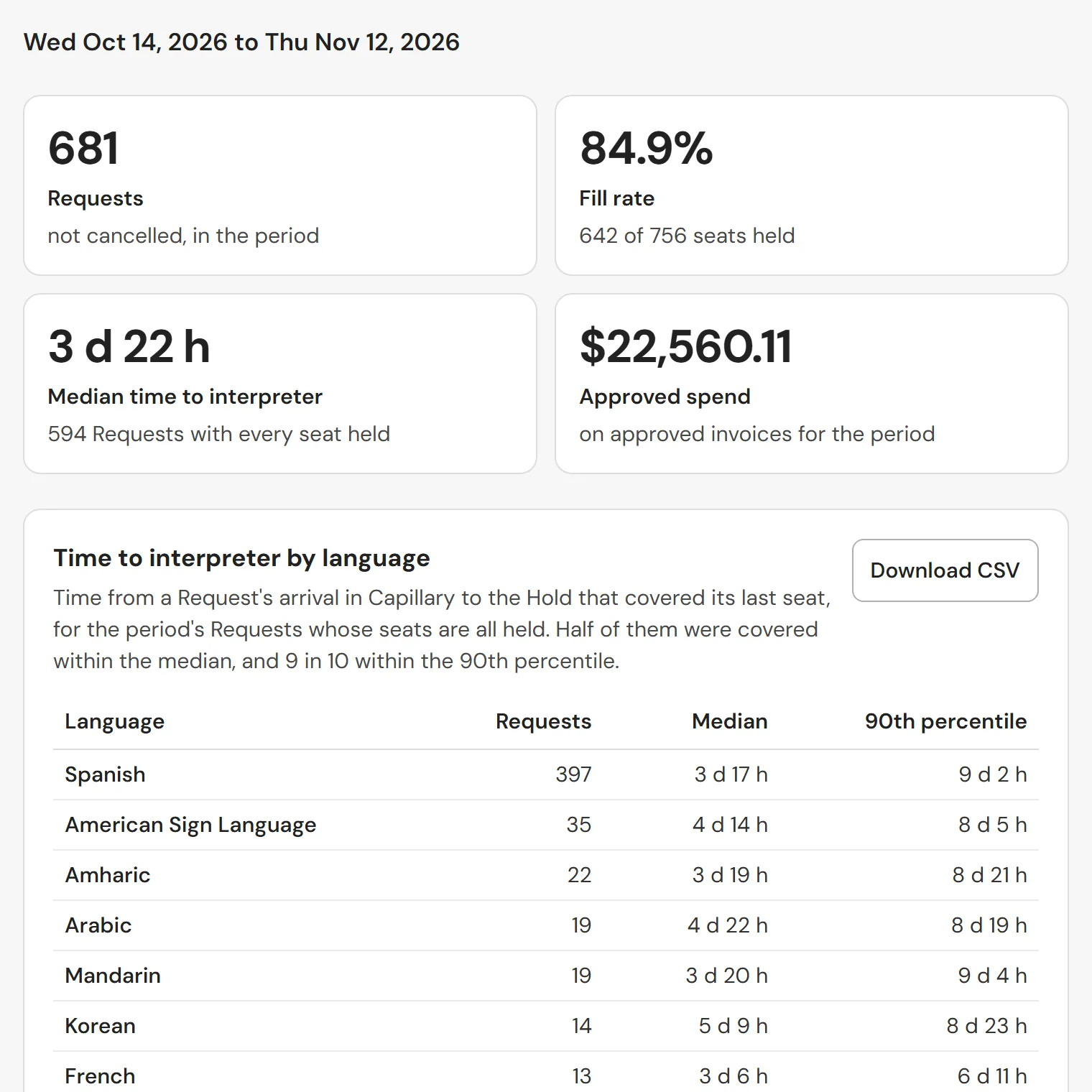
Oversight
Time from request to interpreter by language and courthouse, fill rate, open requests by reason, late cancellations, spending, each interpreter's hours, the share of remote work and credentials ending soon. Each table downloads as a CSV.
Who uses it
Coordinators
Review each week's draft, send offers, confirm hours worked and approve invoices.
Court staff
Send and cancel requests, and see on the Desk screen who is coming.
Interpreters
See their assignments and offers and tap Arrive and Done. Contract interpreters also submit their invoices.
Finance approvers
Approve invoices, download them for payment and read the Oversight tables.
Your program’s rules
Each program sets its own pay rules, and invoices follow them:
- Credential levels, with an hourly rate for each
- A minimum billable time for in-person and remote work
- Half-day and full-day rates
- Mileage from road distance, and whether travel time is paid
- A cancellation window and its fee
- Weekly, every two weeks or monthly pay periods
Money and privacy
Capillary does not pay invoices or hold money, and keeps no bank, card or tax ID numbers. The court pays through its own payment system.
A request carries a case number and a hearing type, never the parties’ names. The app never reads an interpreter’s location.
See a sample week
We walk through the sample program: its courts, its roster and a pay period’s invoices.
Other Capillary products
Shift schedules for physicians, APPs, nurses and vet teams, checked for double-booking, rest and time off.
Statewide registries of open psychiatric and crisis beds, where the first facility to offer holds the bed.